DOCUMENTATION > KINDLE
Import from Clippings
Upload your My Clippings file to import Kindle highlights into Anotum.
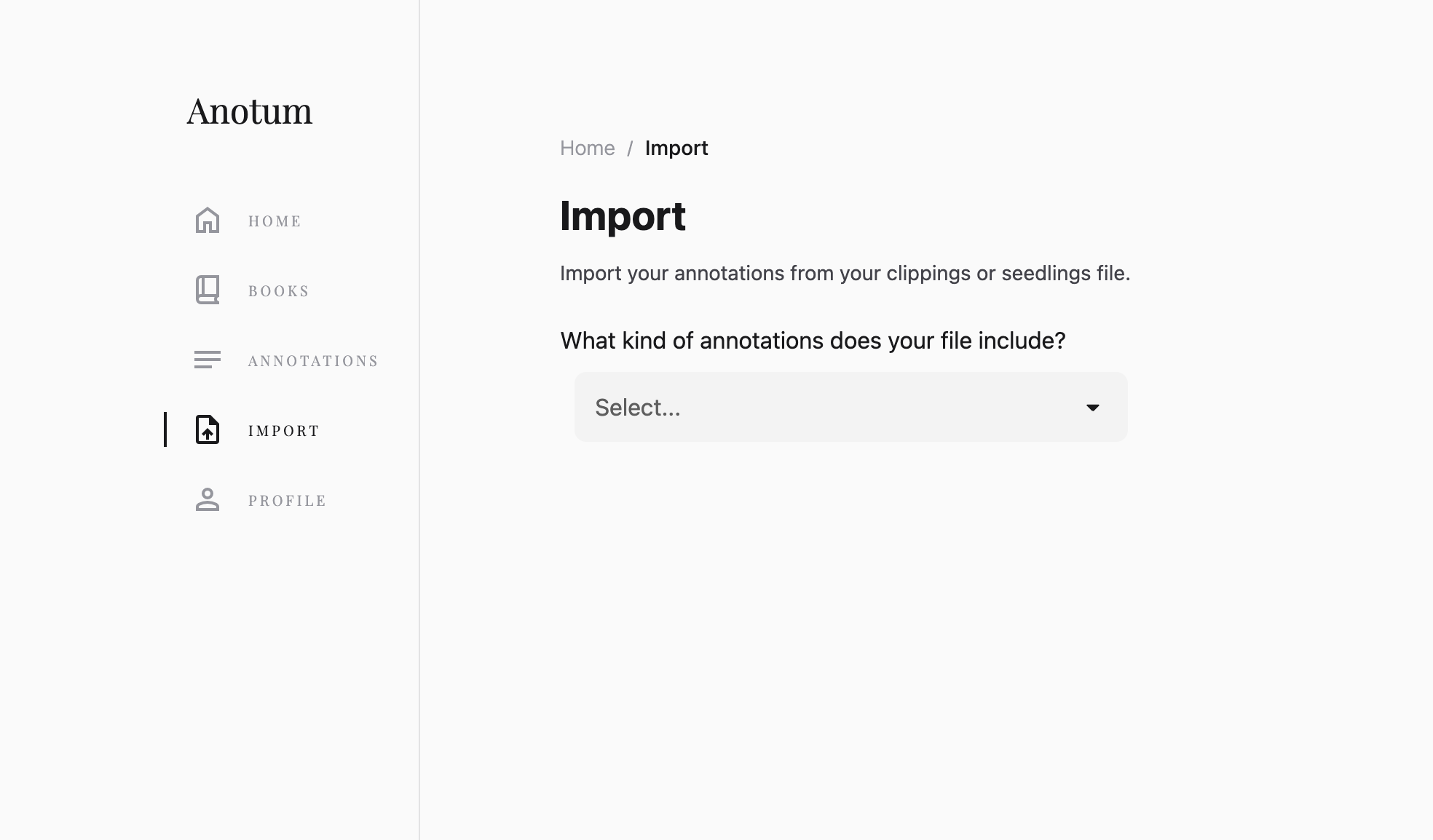
1. Navigate to “Import” page
In Anotum, navigate to the “Import” page
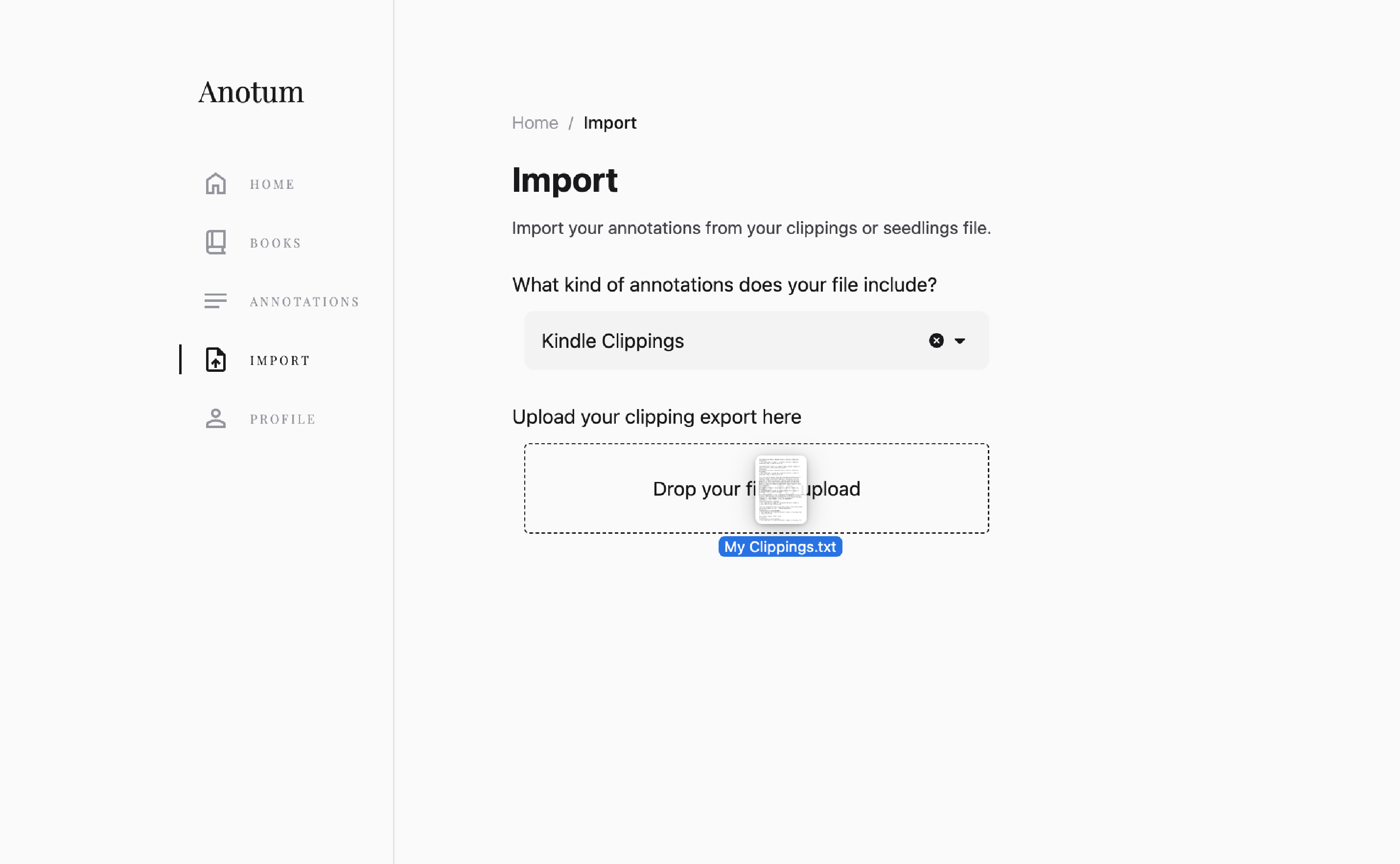
2. Upload your clippings file
Now, either drag-and-drop your My Clippings.txt file in the dropzone or click on the dropzone and in the opened pop-up dialog select your aforementioned clippings file.
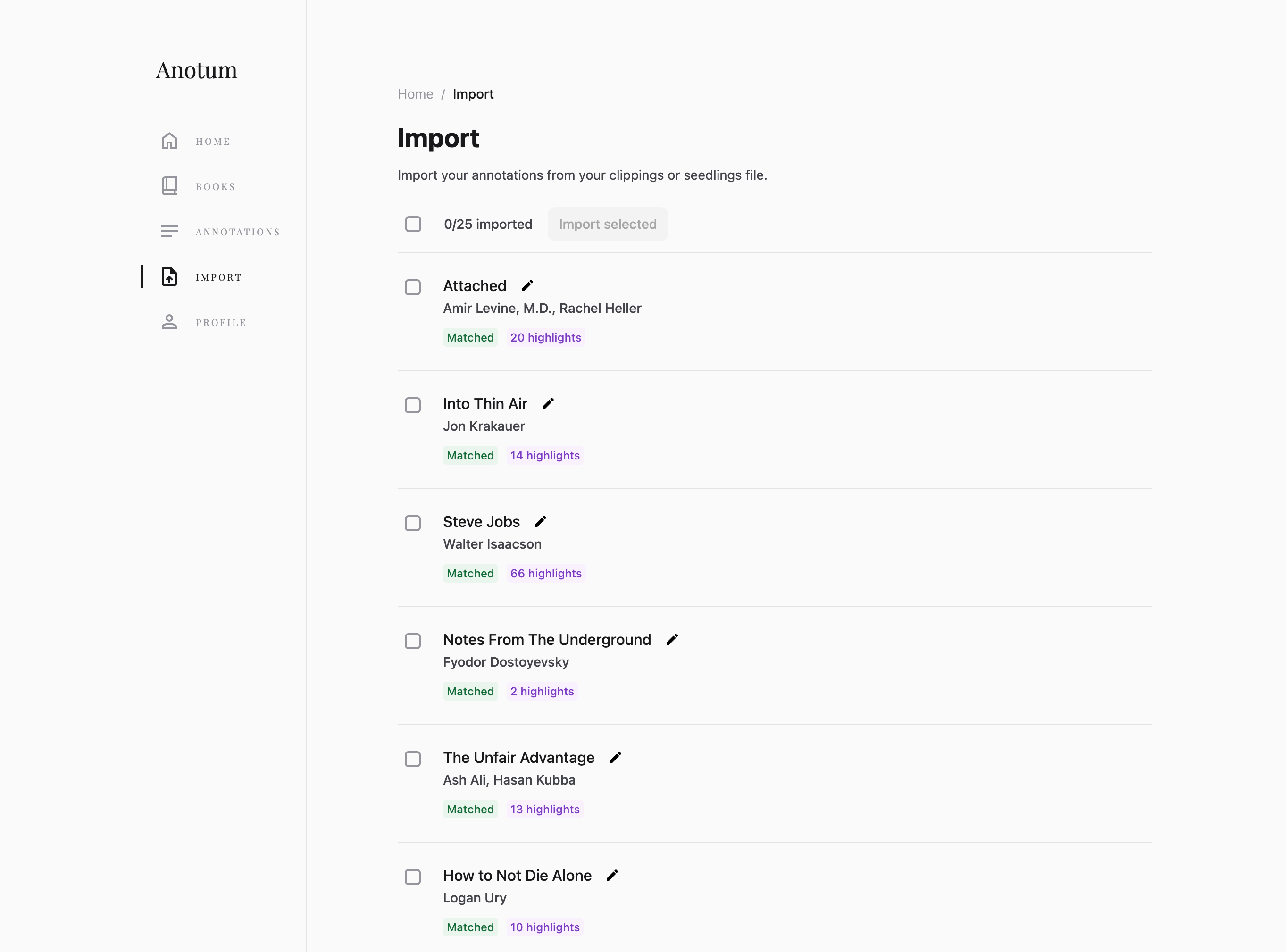
3. Review your clippings
Finally, review your clippings and when all the details look good click “Import”.
💡 Note: Anotum will automatically try to figure out what book each clipping belongs to in order to find the cover, full author list, and other details.
However, sometimes we might need help. In such cases a message will be shown saying that we couldn’t automatically find the book in our directories and ask for help in correcting the details.
4. That's it!
That’s it! Hope you enjoy using Anotum!