Import using Shortcut
Use the Apple Seedlings Shortcut to export Apple Books highlights from your Mac and upload them to Anotum.
Prerequisites:
- Have the Apple Books Mac app
- Add our Shortcut to your Apple Shortcuts (Available here)
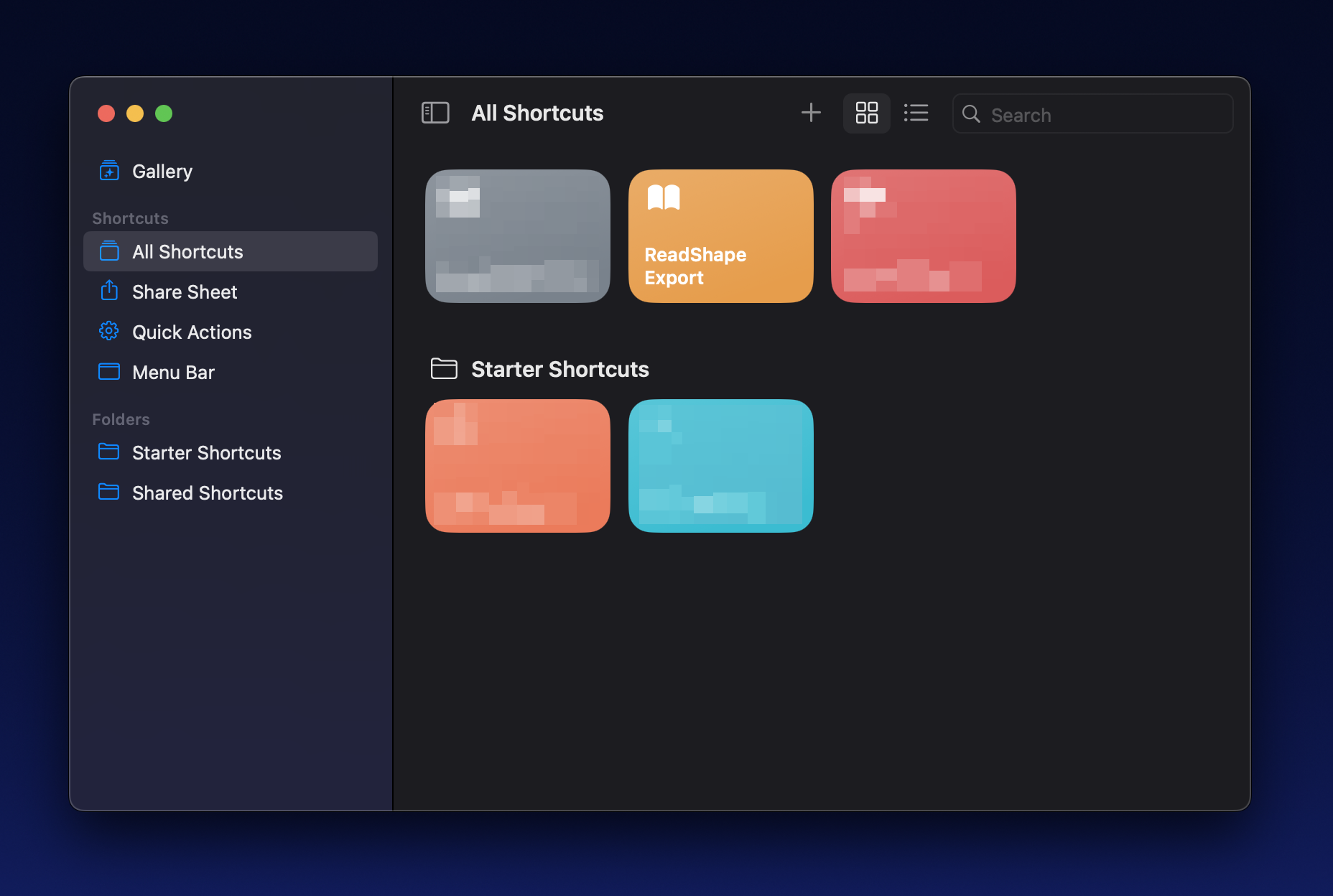
1. Create the export
To create the export, simply run the “Anotum Export” Shortcut (Available here).
This will create a file called “My Seedlings” on your Desktop.
2. Go to Anotum
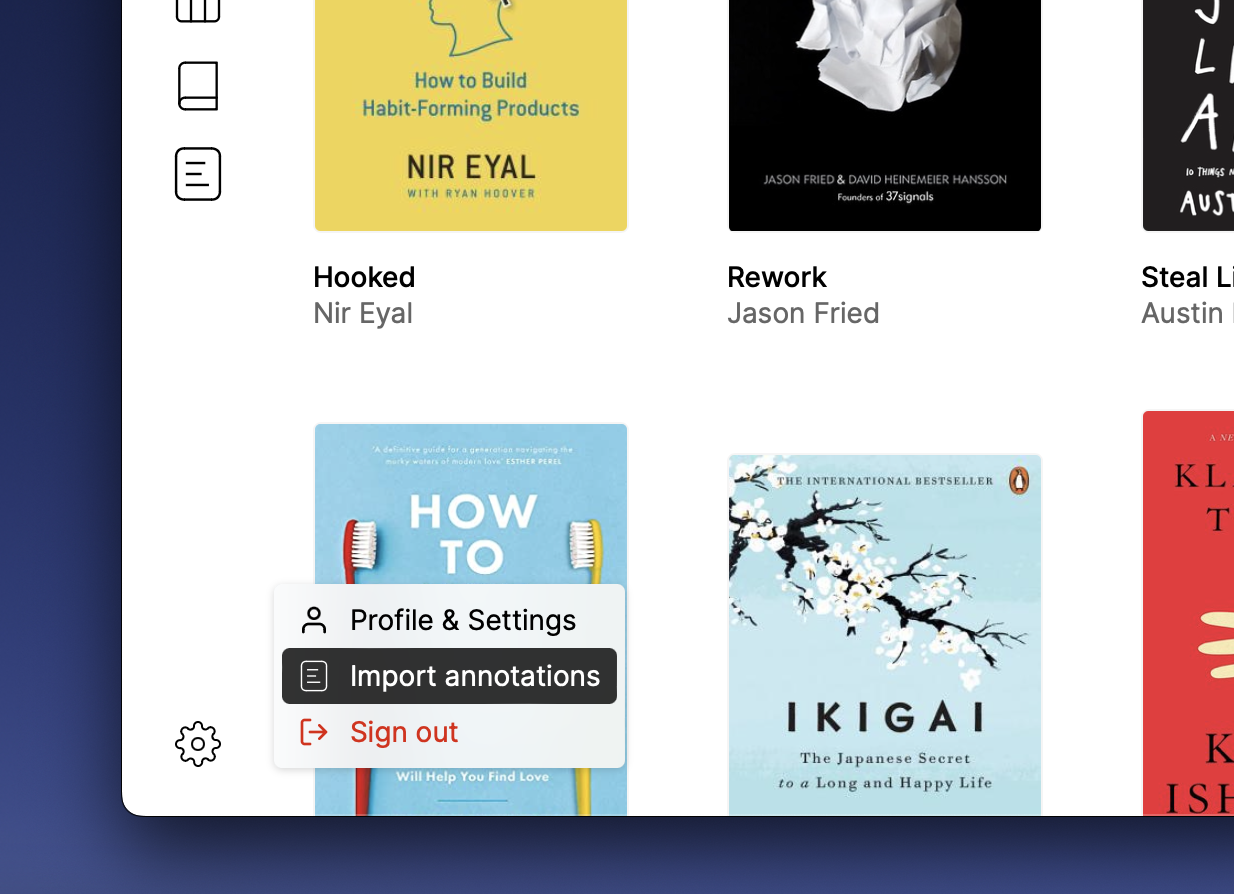
Login to Anotum if you haven’t already, and go to “Import annotations” by clicking the cog icon at the bottom left.
3. Select “Apple Seedlings”
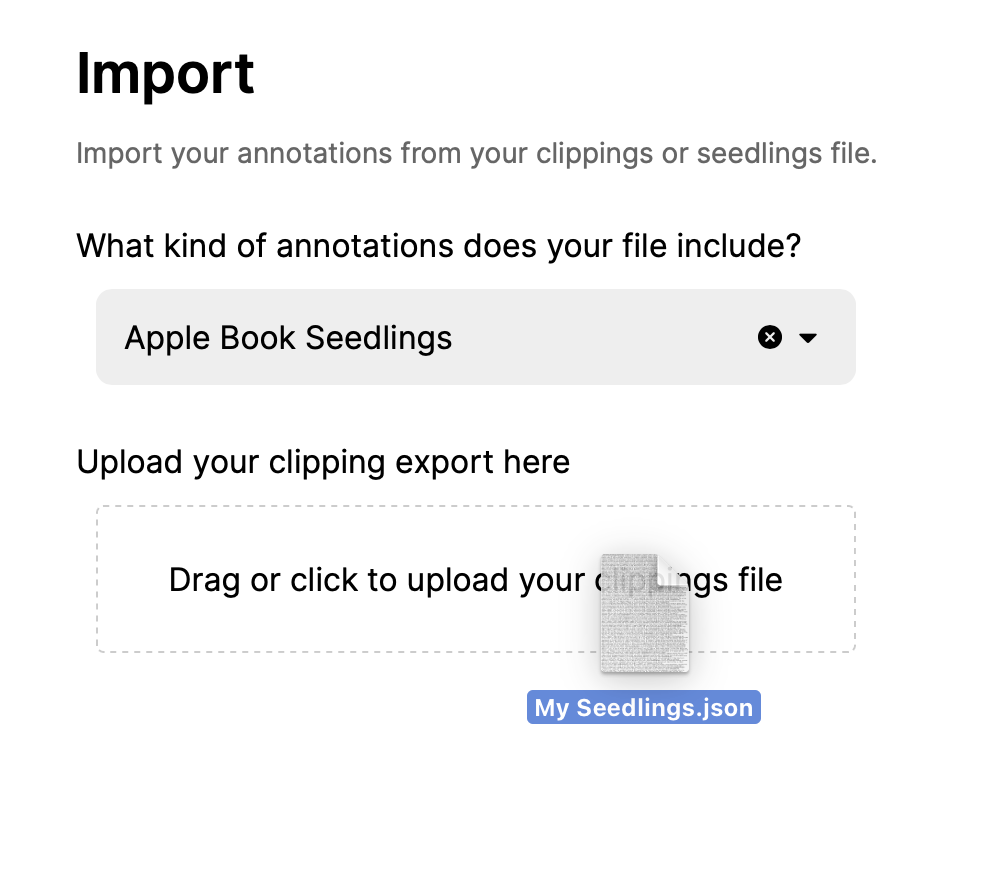
Now from the import page, select “Apple Seedlings” as the import type and upload your “My Seedlings” export file you created in Step 1.
4. Review your clippings
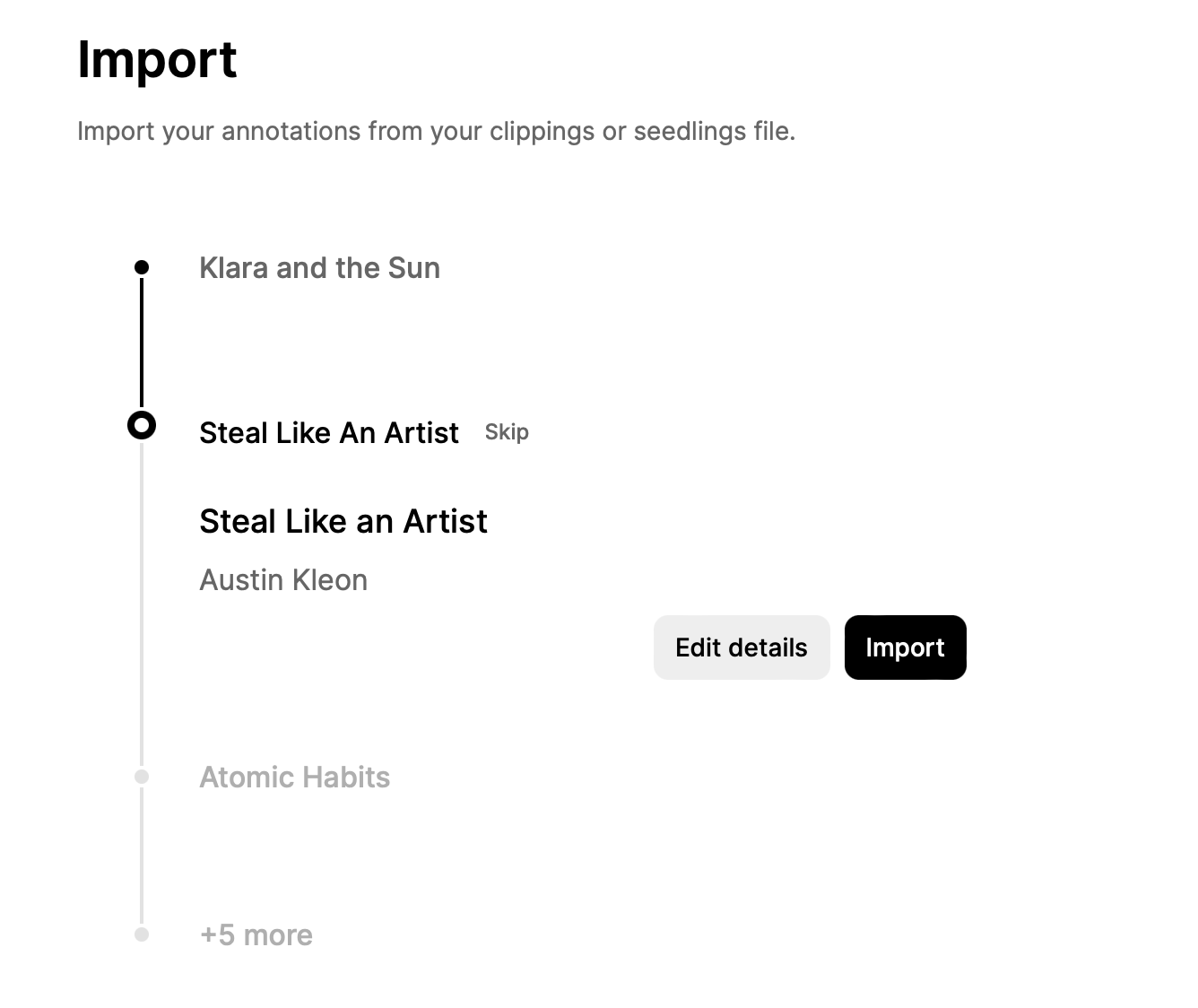
Finally, review your clippings and when all the details look good click “Import”.
💡 Note: Anotum will automatically try to figure out what book each clipping belongs to in order to find the cover, full author list, and other details.
However, sometimes we might need help. In such cases a message will be shown saying that we couldn’t automatically find the book in our directories and ask for help in correcting the details.
5. Tada 🎉
That’s it! Pretty cool, right?